
Choosing what to view
Above each panel there’s a search box grouped by Devices, Displays and Maps, to choose which device or view to show in that cell. Next to it, an arrow icon opens a menu with the four available views:
- Map (only if that cell has a map associated with it)
- Display
- Events
- Charts
From that same menu you can maximize or close the cell.
Reading the Display
The Display reproduces the actual front panel of the installed device, using the same visual reference a field operator already knows:
- Colored circles or squares are LEDs: they represent a digital state (open/closed, alarm, lockout, etc.). Hover over them (or press and hold on mobile) to see their name and exact state.
- Plain numbers and text, with no icon, are measurements (current, voltage, etc.) or status text, drawn directly on the panel.
Four real examples, from different manufacturers:
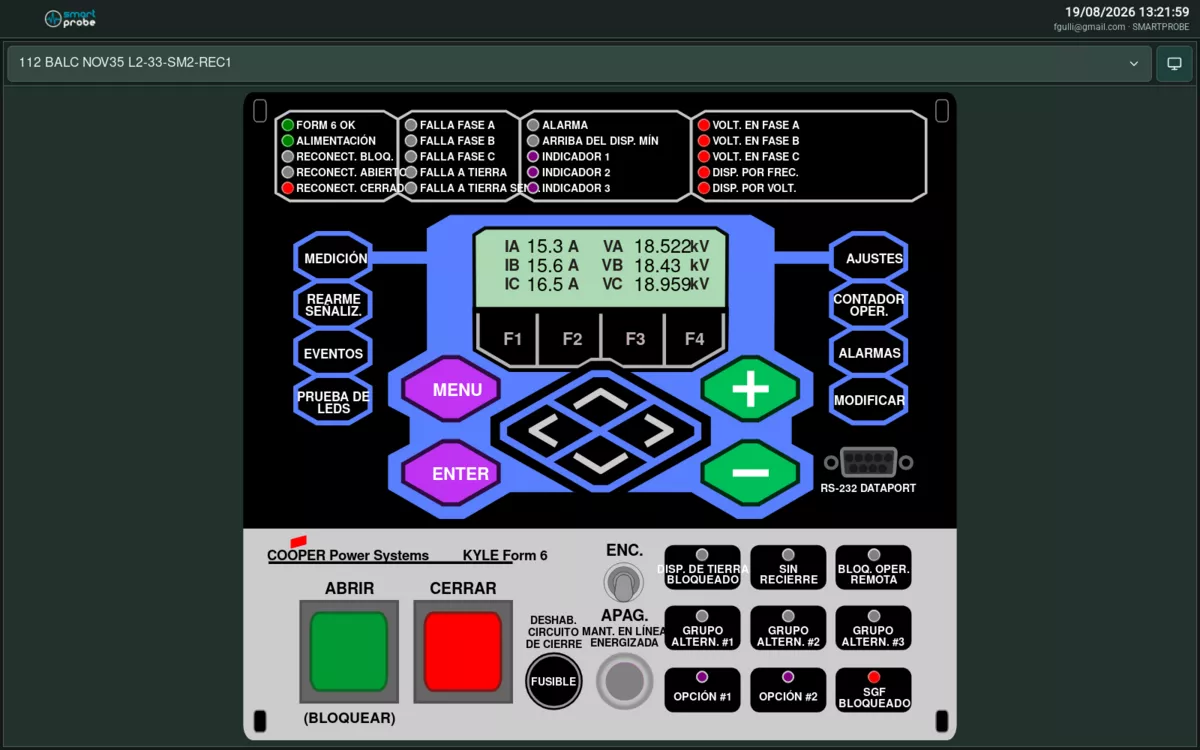 Eaton Form 6 recloser.
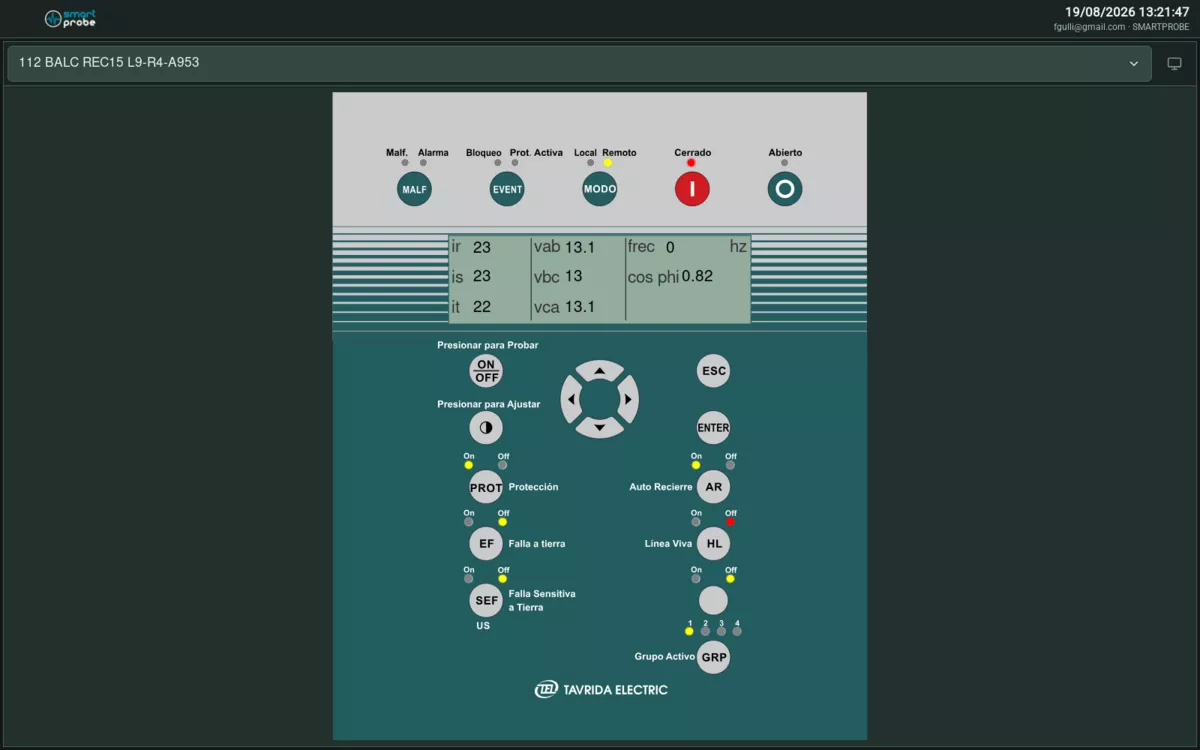 Tavrida recloser.
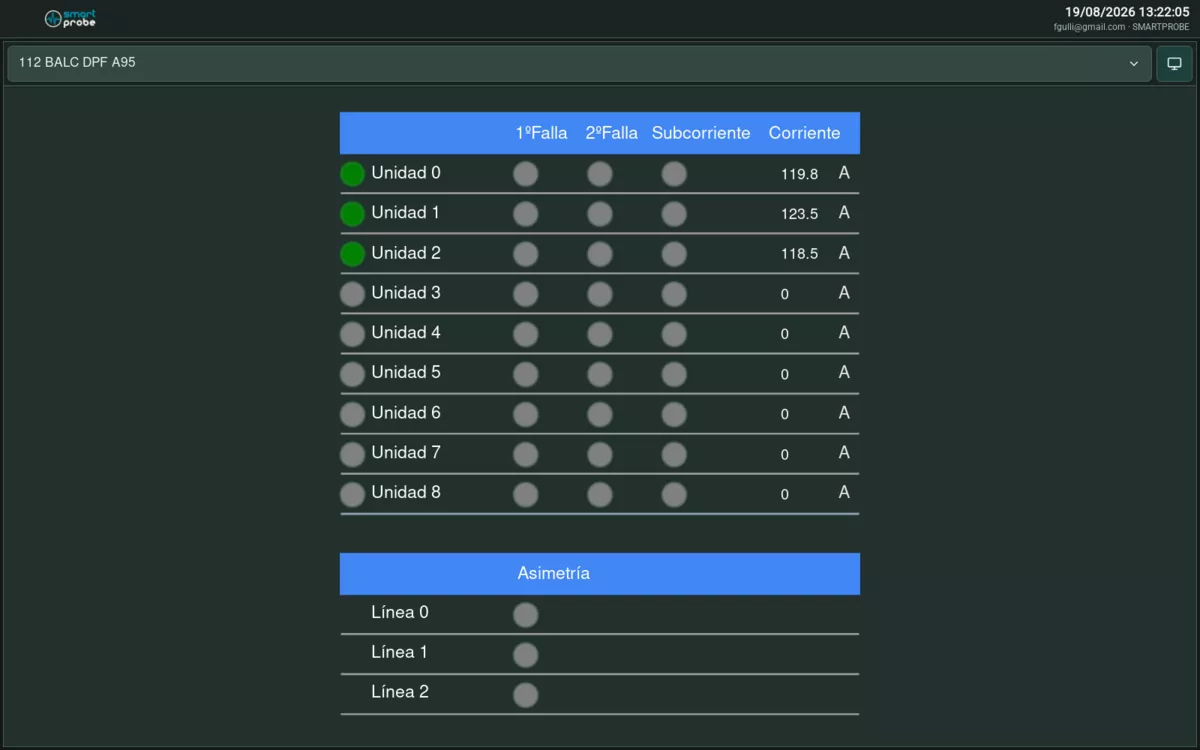 Kries fault passage indicator.
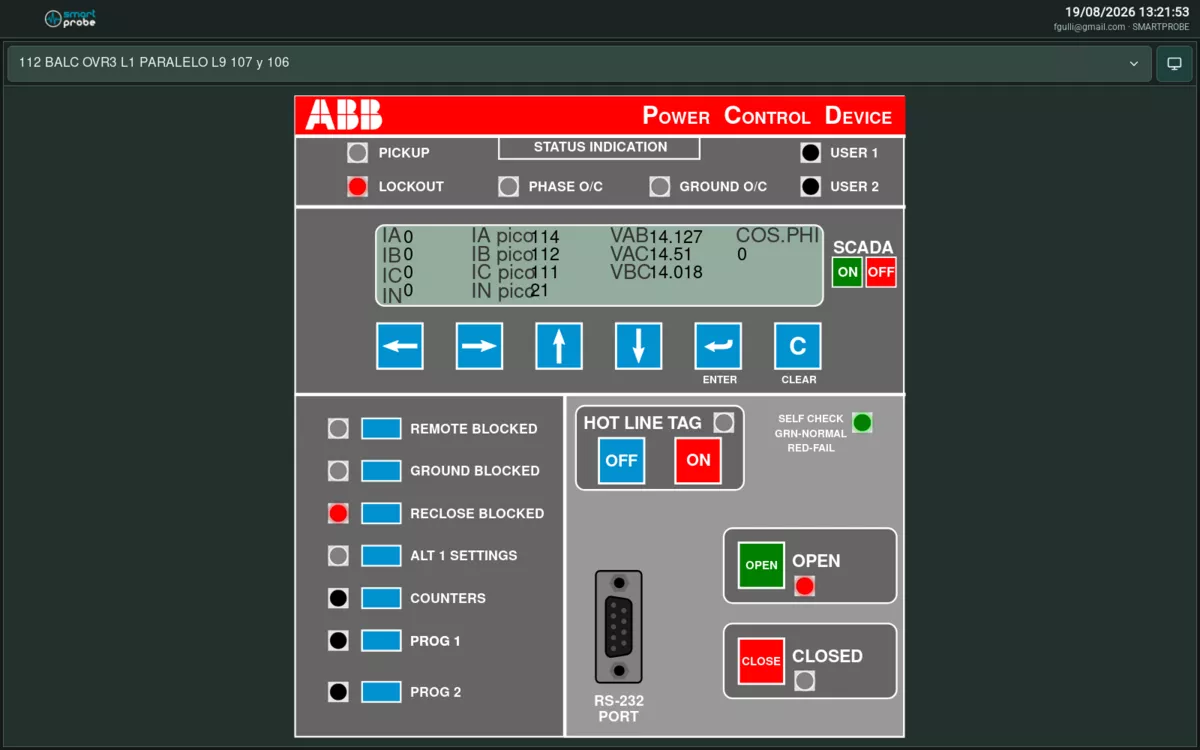 ABB PCD2000 recloser.